Last Updated: April 2026 | Reviewed by Alex Hunter, Senior SaaS Editor
Zapier Review 2026: The Central Nervous System of Modern SaaS?
Zapier is the tool that quietly runs modern operations. When teams say “we don’t have time,” the real problem is usually workflow fragmentation: leads come from one place, customer data lives in another, invoices in a third, and the team’s communication is scattered across Slack and email.
Zapier’s value is simple: it turns disconnected SaaS tools into a system. And in 2026, with thousands of integrations and better AI-assisted setup, Zapier remains the default choice for teams that want automation without engineering.
Table of Contents
Quick Comparison: Zapier vs Make
| Tool | Best For | Learning Curve | Strength | Tradeoff |
|---|---|---|---|---|
| Zapier | Fast, common automations | Low | Speed + ecosystem | Can get pricey at scale |
| Make | Logic-heavy workflows | High | Visual branching + control | Harder onboarding |
What Is Zapier?
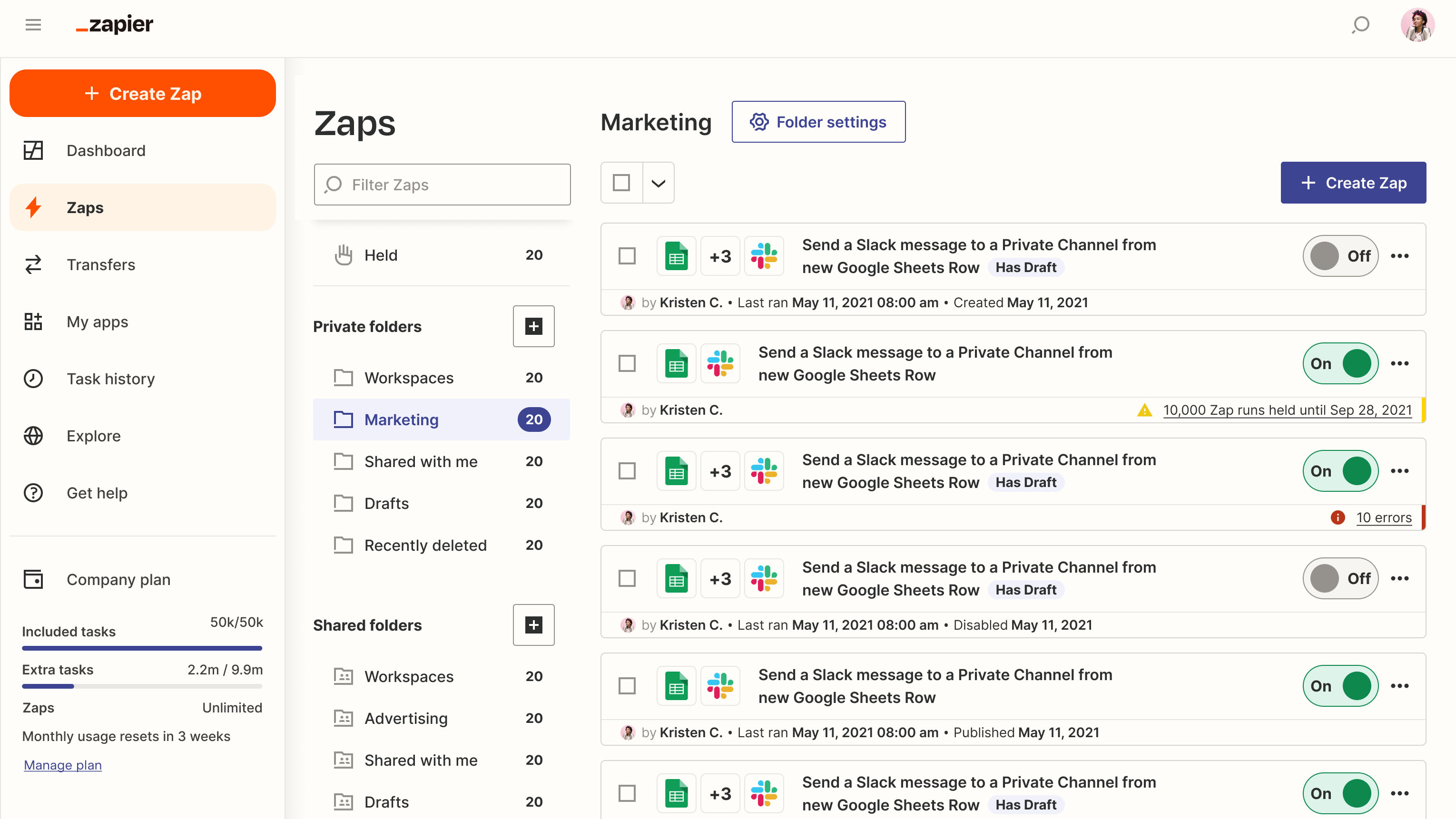
Zapier is an automation platform that connects web apps with workflows called Zaps. Each Zap has:
- a trigger (something happens, like “new Typeform submission”),
- and one or more actions (do something, like “create a HubSpot contact”).
For small businesses, this replaces manual copying between tools. For scale-ups, it becomes “ops glue”: consistent workflows enforced by automation rather than memory.
The 6,000+ App Ecosystem
Zapier’s biggest moat is its integration library. If your team uses a tool, Zapier likely has a connector for it. That means you can automate across your entire stack without waiting for engineering to build custom integrations.
For many teams, that ecosystem matters more than any single feature. It reduces tool-lock-in risk: you can swap your form tool, CRM, or email platform and still keep workflows alive.
Real-World Workflows (Examples)
Here are high-ROI automations that most teams benefit from:
- Lead routing: Form submission → CRM contact → Slack alert → assign owner.
- Customer onboarding: Payment → create account record → send welcome email → add to onboarding checklist.
- Support to product feedback: Zendesk/Help Scout tag → create Linear/Jira issue → notify product channel.
- Content ops: New blog post → social queue → newsletter draft → analytics tracking row.
Filters, Paths, and Multi-Step Zaps
The biggest leap in Zapier capability comes from multi-step workflows: filters (only run when conditions match), paths (branching), and data formatting steps. This turns Zapier from “simple connector” into a real workflow engine.
The practical guidance: keep Zaps readable. Teams often create a web of tiny Zaps that are hard to debug. Prefer fewer, well-designed workflows with clear naming.
Reliability & Monitoring
Automation only helps if it’s reliable. In 2026, teams should treat Zapier like infrastructure:
- set naming conventions,
- assign an owner,
- review failed runs weekly,
- avoid brittle workflows that depend on unstable fields.
If your automations touch revenue (billing, provisioning, onboarding), you also want alerting when something fails—otherwise you’ll only notice when a customer complains.
Zapier AI in 2026: Helpful, Not Magic
AI-assisted Zap building is genuinely useful for speed. The best use is first drafts: describing what you want in plain language and letting Zapier scaffold the steps. The limitation is that you still need human review for:
- field mapping correctness,
- edge cases and error handling,
- privacy and data governance.
Think of it as: AI reduces setup time, but operational ownership still matters.
Pricing & Cost Control
Zapier can get expensive when you scale because cost is tied to tasks/usage and complexity of Zaps. The best cost controls are architectural:
- Filter early: don’t run actions for leads you don’t care about.
- Deduplicate: avoid multiple Zaps that do overlapping work.
- Batch when possible: don’t trigger per event if a scheduled batch is fine.
- Use a data hub: sometimes Airtable can centralize data and reduce cross-tool chatter.
When to Choose Make Instead
Pick Make when workflows need heavy branching, looping over arrays, advanced transformations, and stronger error handling—especially when you’re paying a lot in per-task pricing. Pick Zapier when you want the fastest path from “idea” to “working automation.”
Who Zapier Is Best For
- Small businesses and startups that want automation without engineering.
- Ops teams connecting many SaaS tools quickly.
- Teams that value integration coverage and speed of setup.
Final Verdict
Zapier remains the best default automation platform in 2026 for most teams because it’s fast to implement and connects almost everything. The tradeoff is cost at scale and less control than a visual/logic-first tool like Make. If you treat Zapier like infrastructure—owned, monitored, and intentionally designed—it can save dozens of hours per month and make your stack feel like a product, not a pile of tools.
Build Your First Zap →