Last Updated: April 2026 | Reviewed by Alex Hunter, Senior SaaS Editor
Airtable Review 2026: The Best “Database for Non-Engineers”?
Airtable sits in a unique spot: it’s not just a spreadsheet, and it’s not a traditional database tool that requires engineers. It’s a relational system you can build with an operations mindset—tables, linked records, views, forms, and automations—without writing code.
In 2026, Airtable is often the backbone for teams running complex ops: content calendars, CRM-like pipelines, inventory, onboarding, hiring, and internal tooling. The value comes from replacing messy spreadsheets with a structured system that stays consistent as your team grows.
Table of Contents
Quick Comparison: Airtable vs Google Sheets
| Tool | Best For | Strength | Tradeoff |
|---|---|---|---|
| Airtable | Structured workflows + relational data | Links, views, forms, internal apps | Cost and permissions complexity |
| Google Sheets | Simple lists and quick analysis | Ubiquity + low friction | Breaks at scale and gets messy |
What Is Airtable?
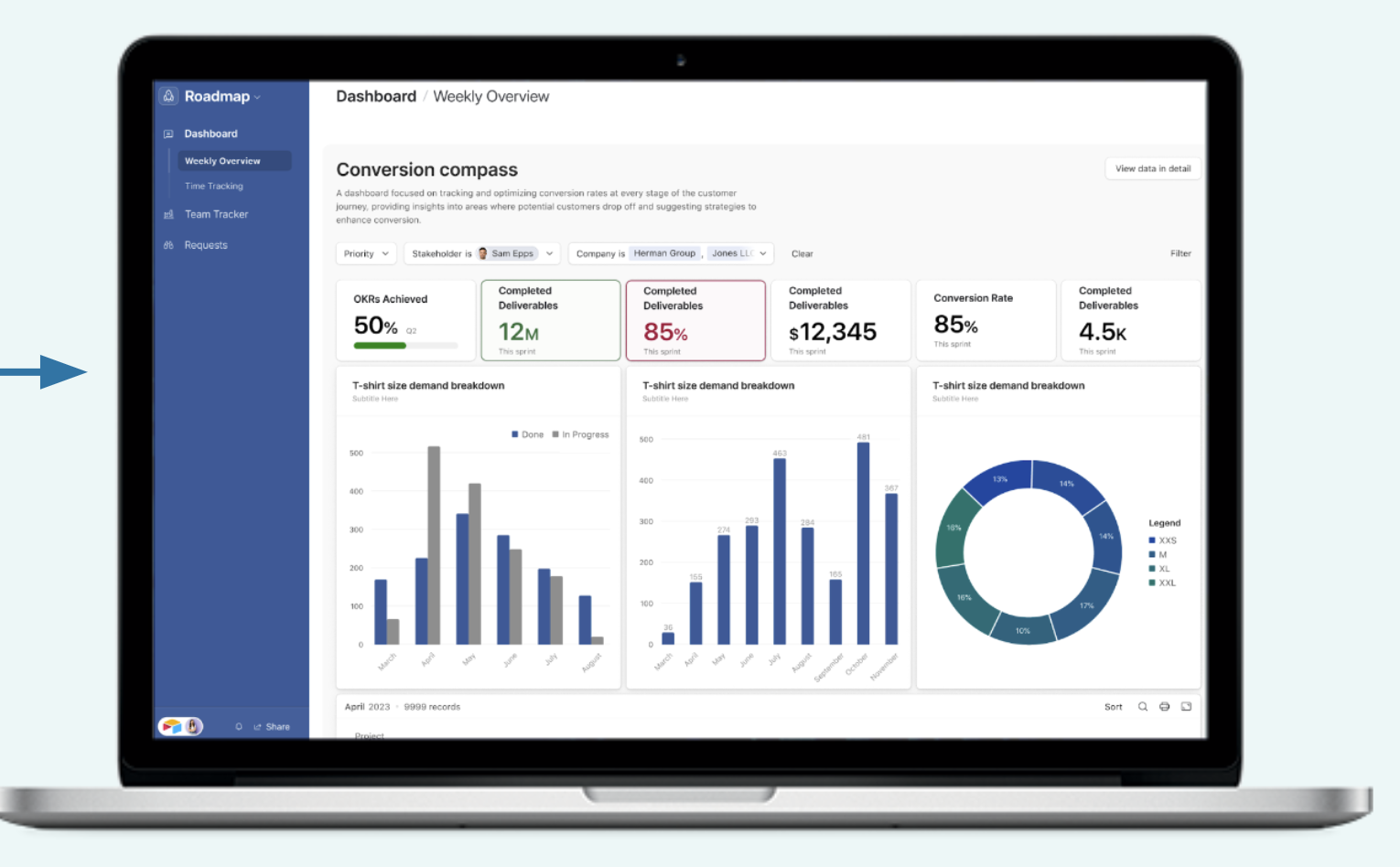
Airtable is a database platform that looks friendly like a spreadsheet. You create bases made of tables, define fields, link records between tables, and then create multiple views for different teams. On top of that, you can build forms, dashboards, and interface-driven “apps” that non-technical teammates can use.
It’s best thought of as: “Excel + relationships + UI + automation.”
Relational Modeling: The Real Upgrade
The biggest Airtable win is not nicer rows. It’s the ability to model reality:
- Clients link to Projects.
- Projects link to Tasks.
- Tasks link to Assets and Owners.
In spreadsheets, you duplicate text (“Client Name”) across 50 tabs and eventually nothing matches. In Airtable, you link records so changes propagate. That’s why Airtable becomes sticky once you outgrow spreadsheets.
Views: One Dataset, Many Workflows
Different teams need different perspectives. Airtable lets you create views like:
- Kanban: move items through stages.
- Calendar: schedule content or milestones.
- Gantt/timeline: plan dependencies.
- Filtered tables: “only my tasks,” “only urgent,” “only blocked.”
This is operational gold. You keep one source of truth but give each role the right lens.
Interfaces: Internal Apps Without Engineering
Interfaces are one of Airtable’s most underrated features. Instead of giving everyone a full table view (which can be overwhelming), you can create a simple internal app:
- Sales sees a pipeline dashboard.
- Support sees a customer list and health fields.
- Content team sees an editorial calendar and brief checklist.
For small teams, this replaces the need for custom internal tools early on.
Automations & Integrations
Airtable can automate internal workflows with triggers like “record enters a view,” “field changes,” or schedule-based runs. Typical use cases:
- Notify Slack when a deal hits “Contract Sent.”
- Create tasks when a project moves to “Production.”
- Send a summary email every Monday with “items blocked.”
For heavier automation and branching logic, many teams connect Airtable to Make or Zapier.
Permissions & Governance (Where Teams Get Stuck)
The harder your workflow, the more governance matters. Airtable’s flexibility can become a downside if everyone edits structure and fields freely. The healthiest setups have:
- a base owner (ops),
- clear naming conventions,
- fewer “wild” fields,
- interfaces for most users, tables for builders.
Pricing & Scaling Reality
Airtable pricing can jump as you add seats and need advanced permissions or capacity. That’s normal for a platform that becomes infrastructure. The decision point is usually:
- Are you replacing multiple tools/spreadsheets?
- Is it preventing operational mistakes?
- Is it making teams measurably faster?
If yes, Airtable becomes easy to justify. If you just need a list, Sheets stays the cheapest tool on earth.
Who Airtable Is Best For
- Ops teams building internal systems without engineering.
- Content teams managing editorial calendars at scale.
- Agencies and studios tracking clients, assets, and approvals.
- Any team whose spreadsheets have become “mission critical.”
Who Should Avoid It
- Teams that only need simple lists and charts.
- Organizations without an owner for the system (bases need governance).
- Workflows that require strict, complex permissions from day one (evaluate carefully).
Final Verdict
Airtable is one of the best upgrades you can make once spreadsheets start breaking your operations. It turns messy rows into a structured, relational system and lets you build internal apps without writing code. The cost and governance are real—but when Airtable becomes your source of truth, the ROI is usually obvious.
Try Airtable →